- Create a "Windows Forms Application" project
- Add a new form. By default, it will have a name of "Form2"
- Add 2 labels, 2 textboxes, and 2 buttons like the one shown below:

- open the first form (Form1) and double click on the empty space. This should show the Form1_Load event. Declare an instance of Form2 and display it. (Use ShowDialog instead of Show).

- Open the second form (Form2) and view the properties of the second textfield (password text box). Specify * in the PasswordChar attribute.

Double click on the Login button. This will show the button1_click event. Put all necessary checking here like the one shown.

**You can change the checking part to comparing the values with your database. For example:OleDbConnection cn = new OleDbConnection("YourConnectionString");
cn.Open();
DataTable dt = new DataTable();
OleDbCommand cmd = new OleDbCommand("select * from usertable where username='"+textBox1.Text+"' and password='" + textBox2.Text+"'",cn);
OleDbDataAdapter da = new OleDbDataAdapter(cmd);
da.Fill(dt);
if(dt.Rows.Count>0){
MessageBox.Show("Welcome!");
}
else{
MessageBox.Show("Incorrect Username or Password");
}
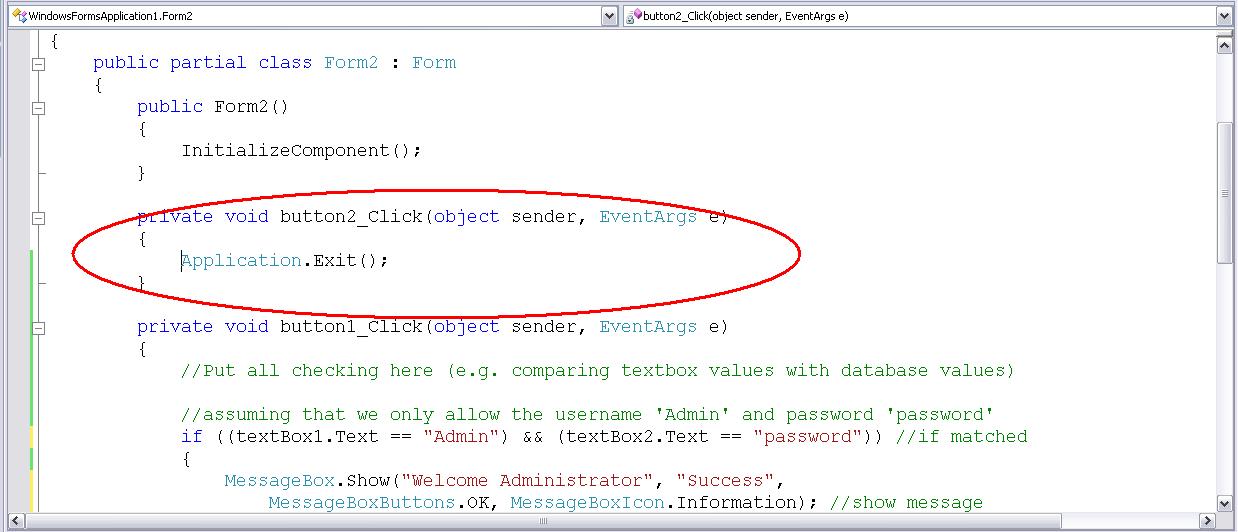
- Go back to the form view of Form2 and double click on the Cancel button. The cancel button should close the application.

- Open Form2 again and view its properties and change the Startup Position attribute



I was asked today by one of my classmates about converting numeric values to literal values in excel. I thought there was a function for this but I found none. Well I was curious so I looked it up on the web . I've done a little modification here to make it more or less generic (specially when writing in checks). Here's how it's done: Click Tools->Macro->Visual Basic Editor Insert a module Paste the following code: Option Explicit '**************** ' Main Function * '**************** Function SpellNumber(ByVal MyNumber) Dim Temp, WholeNumberText, DecimalText Dim DecimalPlace, Count ReDim Place(9) As String Place(2) = " Thousand " Place(3) = " Million " Place(4) = " Billion " Place(5) = " Trillion " ' String representation of amount. MyNumber = Trim(Str(MyNumber)) ' Position of decimal pl...
Comments